Dakota Input File
For an introduction to the six blocks of an input file and how they fit together, start with Anatomy of a Dakota Study. The pages listed above cover each part of the input file in depth, and the two input formats, JSON and freeform, have a page each. For video resources on the input file, see Video Resources.
The six blocks
Environment (optional, at most one): settings for the whole study, such as tabular data output (
tabular_data), Dakota’s graphical output (graphics), and, in advanced studies, the method that runs first (top_method_pointer). Seeenvironment.Method (at least one): the algorithm and its options. Several method blocks can appear in advanced studies. See Study Types and
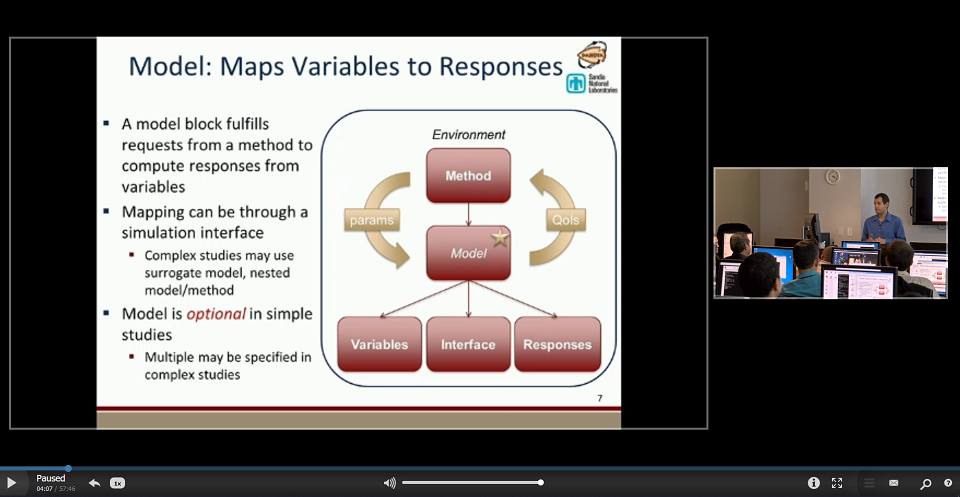
method.Model (optional in simple studies): how variables are mapped through an interface to responses. Surrogate-based studies and optimization under uncertainty need more than one model. See Models.
Variables (at least one): the parameters Dakota varies, classified as design, uncertain or state variables, each continuous or discrete. See Variables.
Interface (at least one): how Dakota runs each evaluation, either a function linked into Dakota (
direct) or an external analysis driver run withforkorsystem. See Interfaces, Connecting Your Code: The Analysis Driver and Advanced Simulation Code Interfaces.Responses (at least one): the responses returned to Dakota (objective functions, calibration terms or response functions), any constraints, and whether derivatives are available. See Responses.
To see a complete example input file and its results, see Rosenbrock Test Problem.
Video Resources
Title |
Link |
Resources |
|---|---|---|
Input File Format |
|
|
Input Syntax / Building Blocks |
|